Application Secrets Management
The app submission workflow lets ISVs provision the credentials their application needs before the release is built and deployed to the sandbox cluster. The submission UI surfaces a vault and secret management view, plus a Generate YAML action that produces the Kubernetes custom resources reconciled by the Secret Management Operator.
There are two kinds of vaults you can create from the submission UI:
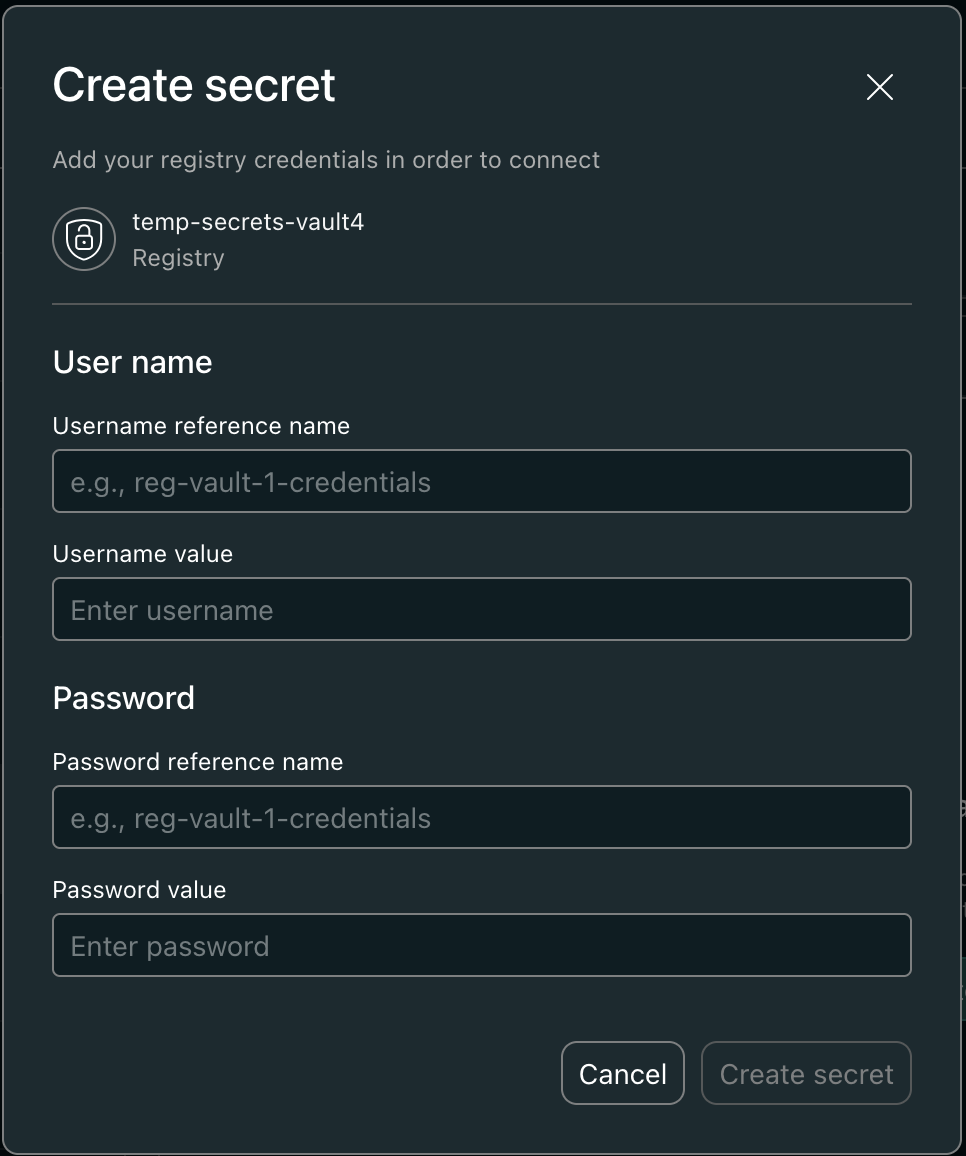
- Registry vault — holds container registry credentials. Restricted to exactly two secrets:
usernameandpassword. - Application vault — holds arbitrary application secrets (API keys, DB passwords, tokens, etc.). No limit on the number of secrets.
Vault names must be unique across all tenants in the secret store, not just within your account. If the name you submit is already taken, Armada's secrets runtime returns the existing vault and the request is rejected with a vault with the name '<name>' already exists. Pick a name with an account-specific prefix (e.g., acme-registry, acme-app-secrets) to avoid collisions.
Security Posture
Secret material handled by this workflow is never stored or transmitted in plaintext on the platform:
- At rest — secret values are kept in Armada's managed secret stores, never on application Kubernetes resources, in intake databases, or in build artifacts.
- In transit — values are passed over TLS between the submission UI, the secrets runtime, and the operator that reconciles them onto the sandbox cluster.
- In logs — secret values are redacted from service logs and audit trails. Only metadata (vault names, secret names, credential refs) is logged.
- On the cluster — at deploy time, the Secret Management Operator delivers the values as standard Kubernetes secrets in the application's namespace.
You do not need to encrypt values yourself before submitting them.
Registry Vault
A registry vault stores the credentials used to pull images from a single container registry. It is keyed by the registry URL: only one registry vault per (account, registry URL) pair is allowed. Attempting to create a second one for the same URL is rejected — rotate credentials in the existing vault instead.
Spec
| Field | Required | Description |
|---|---|---|
name | Yes | Vault name. Must be globally unique across the secret store (see callout above). |
vaultType | Yes | registry |
registryUrl | Yes | Upstream host of the container registry (e.g., acme.azurecr.io). |
registryType | Yes | One of ACR, ECR, GCR, DOCKER_HUB, OTHER. |
Allowed secrets
A registry vault can hold only these two secrets:
| Secret | credentialRef | Purpose |
|---|---|---|
| Username | username | Registry username (or service principal client ID for ACR). |
| Password | password | Registry password (or client secret for ACR). |
Constraints enforced at create time:
credentialRefis required and must beusernameorpassword.- Each ref can be set exactly once. Re-creating a
usernameafter one is already mapped is rejected. - A third secret (any other
credentialRefor any other name) is rejected.
To rotate a credential, update the existing secret's value — do not create a new one. Updates are scoped to the registered username/password secret names; updating any other name is rejected.
Application Vault
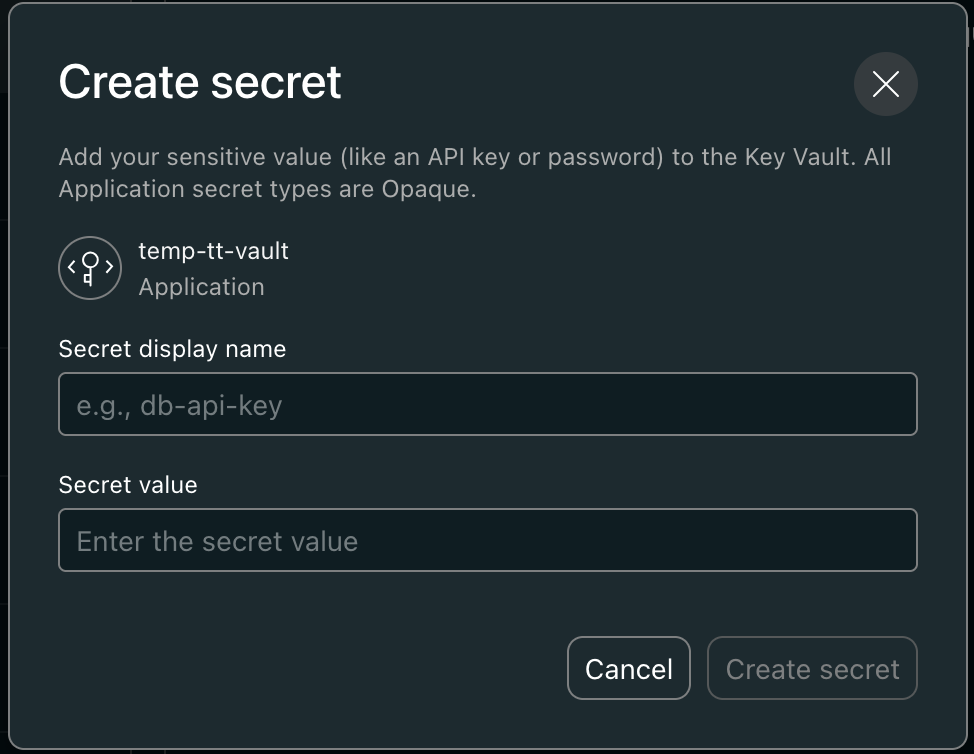
An application vault is scoped to the ISV account and accepts any number of secrets with arbitrary names.
Spec
| Field | Required | Description |
|---|---|---|
name | Yes | Vault name. Must be globally unique across the secret store (see callout above). |
vaultType | Yes | application |
registryUrl and registryType do not apply.
Secrets
Each secret is a name/value pair. The name becomes both the sourceKey and the targetKey in the generated ManagedSecretConfig (see Generate YAML), so it must satisfy the operator's sourceKey rule: alphanumeric and hyphens only (no underscores), 1–127 characters. Pick hyphenated names that map to the secrets your application expects, e.g., database-url, api-key, stripe-webhook-secret.
The operator validates sourceKey as alphanumeric-and-hyphens (see SecretMapping). A secret named DATABASE_URL would generate a ManagedSecretConfig the operator rejects. If your application reads an environment variable like DATABASE_URL, name the vault secret database-url and map it to the underscored variable in your Helm chart — the operator's targetKey permits underscores even though sourceKey does not.
There is no per-vault secret count limit imposed by app submission.
Generate YAML
The Generate YAML action in the submission UI produces the CRDs that the Secret Management Operator consumes on the sandbox cluster. It exposes two dropdowns:
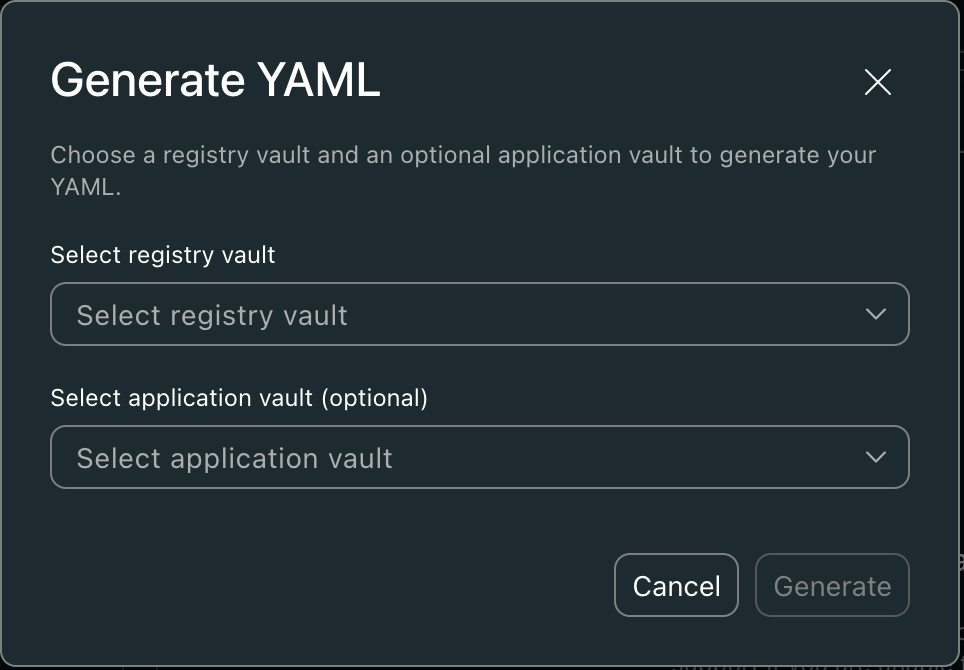
| Dropdown | Required | Populated from |
|---|---|---|
| Registry vault | Yes | Registry-type vaults in the account. |
| Application vault | No | Application-type vaults in the account. |
What gets generated depends on which vaults are selected:
| Selection | Generated CRDs |
|---|---|
| Registry vault only | HarborRegistrySecret |
| Registry vault + application vault | ManagedSecretConfig + HarborRegistrySecret |
Validation performed before YAML is returned
- The registry vault must exist, be of type
registry, and have bothusernameRefandpasswordRefmapped. - The username and password are pulled from the secret store and verified by a live credential check against the registry. If the credentials are invalid, generation fails with the validation message and no YAML is produced.
- If an application vault is provided, it must exist and be of type
application. Each secret in the vault contributes onesecretMappingentry (sourceKey == targetKey).
Example output
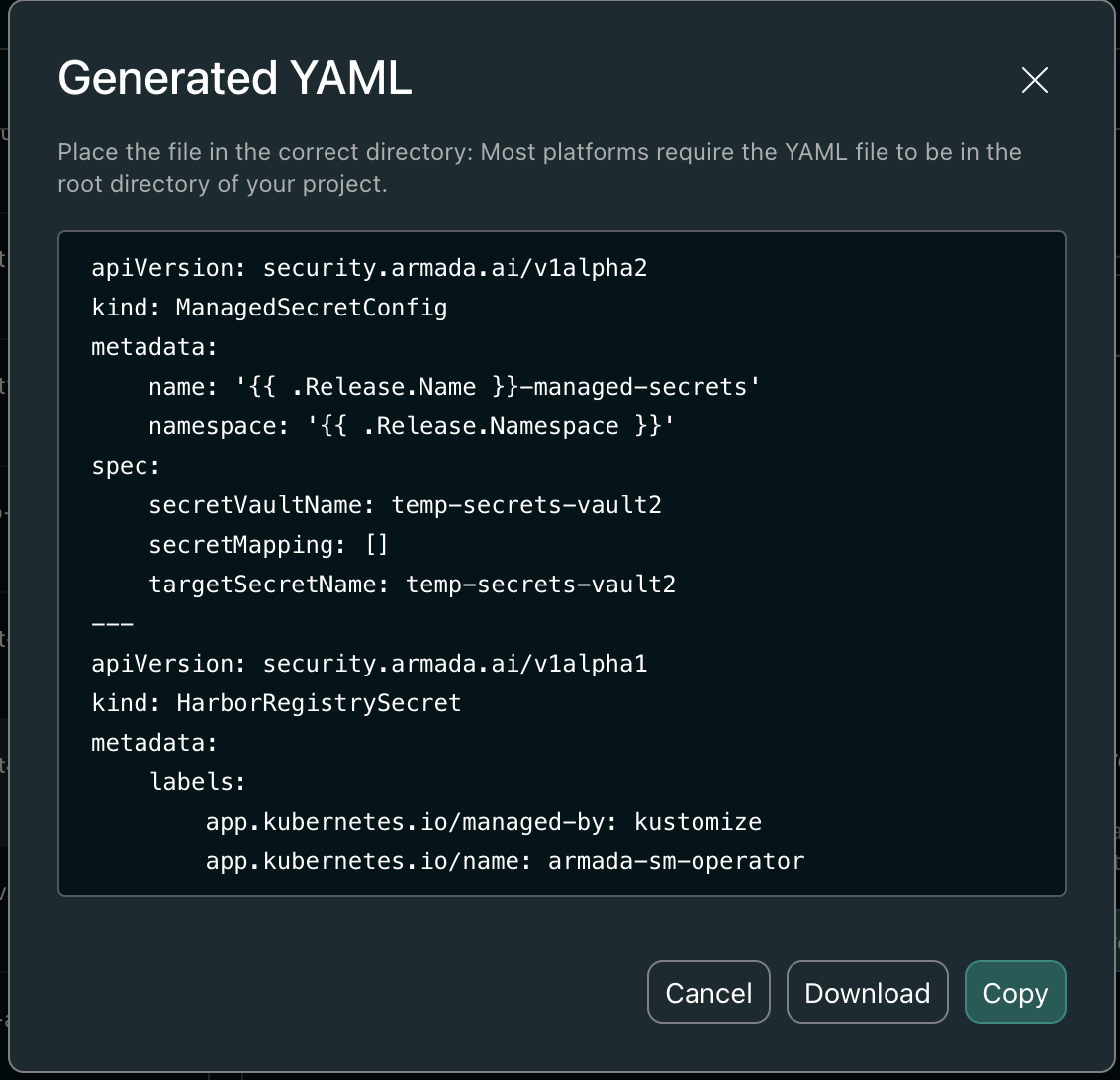
For a registry vault acme-registry (ACR, acme.azurecr.io) plus an application vault acme-app-secrets containing two secrets database-url and api-key:
apiVersion: security.armada.ai/v1alpha2
kind: ManagedSecretConfig
metadata:
  name: {{ .Release.Name }}-managed-secrets
  namespace: {{ .Release.Namespace }}
spec:
  secretVaultName: acme-app-secrets
  secretMapping:
    - sourceKey: database-url
      targetKey: database-url
    - sourceKey: api-key
      targetKey: api-key
  targetSecretName: acme-app-secrets
---
apiVersion: security.armada.ai/v1alpha1
kind: HarborRegistrySecret
metadata:
  labels:
    app.kubernetes.io/name: armada-sm-operator
    app.kubernetes.io/managed-by: kustomize
  name: {{ .Release.Name }}-harbor-registry
  namespace: {{ .Release.Namespace }}
spec:
  akvSource:
    vaultName: acme-registry
    usernameSecretKey: acme-registry-username
    passwordSecretKey: acme-registry-password
  harbor:
    vendorName: <accountId>
    upstreamHost: acme.azurecr.io
    registryType: docker-registry
Drop the YAML into your Helm chart's templates/ directory. The Helm template variables ({{ .Release.Name }}, {{ .Release.Namespace }}) are emitted intentionally so the resources are scoped to the release at install time. At deploy time the Secret Management Operator reconciles them into the namespace's imagePullSecret and the application Kubernetes secret.